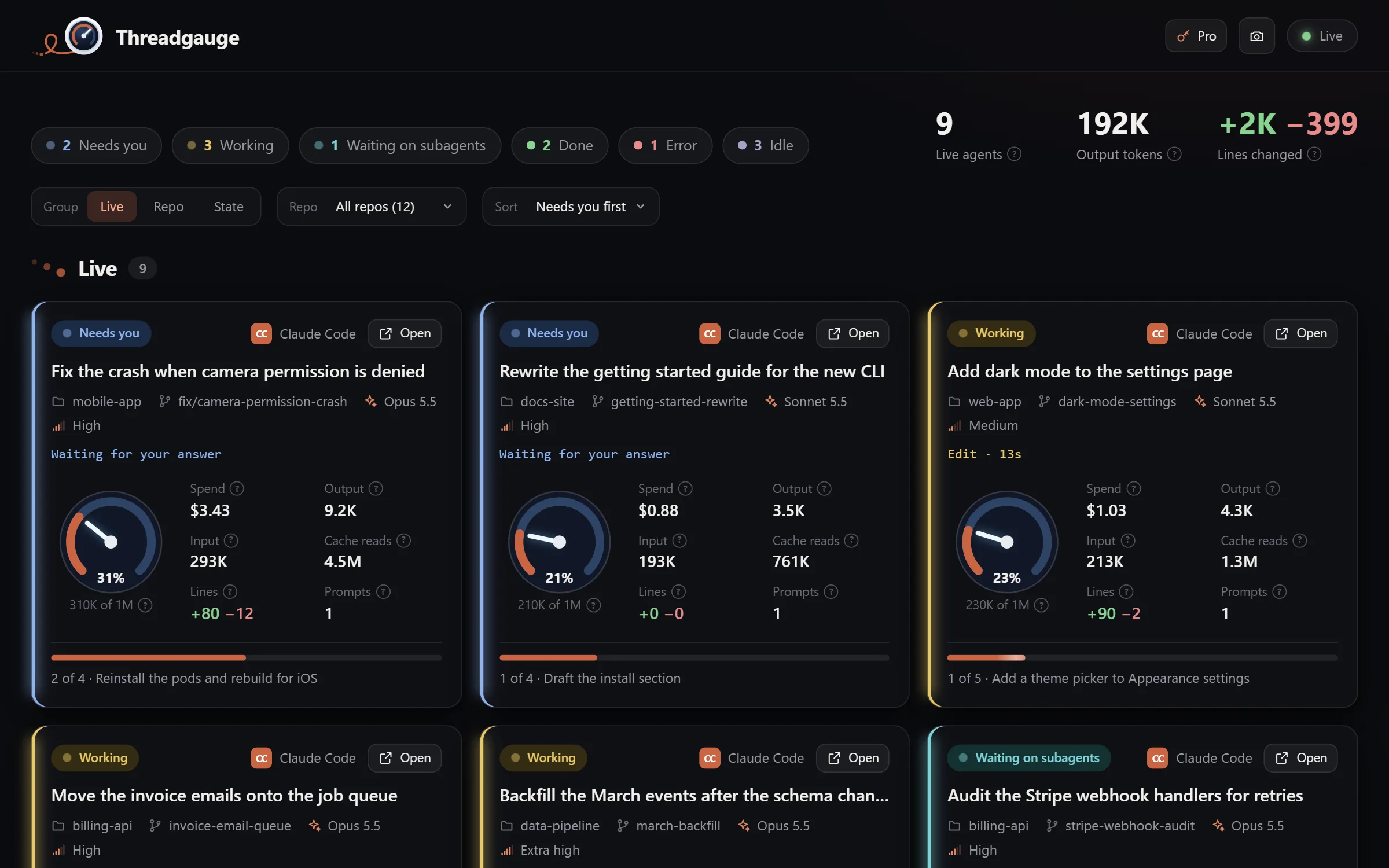
Threadgauge is a live dashboard of every coding-agent thread on your machine: the tool each one is running, how full its context window is, what it has cost, how much code it has changed, and how far through its plan it is.
In development for macOS, Windows, and Linux. Free to use, with Threadgauge Pro for each thread's full story.
On every thread Free
The numbers your agents keep to themselves.
Threadgauge reads each harness's own files as they change and pushes every update to the page. A transcript is read in full once, then only the bytes added since, so a long thread costs only what it adds.
Status
Working, needs you, waiting on subagents, done, error, or idle, each in its own color.
Tool running now
The call the thread is waiting on, and how long it has been running.
Context fill
How full the context window is, against the model's own limit from the harness.
Tokens
Input, output, and cache reads and writes, each counted once per reply.
Spend
The harness's own figure, or every reply at list prices where it keeps none. On a subscription, it's what the work would cost, not what you pay.
Lines changed
Lines added and removed by edits, writes, and shell commands, subagents included.
Plan progress
Every step of the thread's plan, with what's done and what it's on now.
Subagents
The subagents still working for each thread, and what each one is doing.
A thread's details Pro
Open a thread for its whole story.
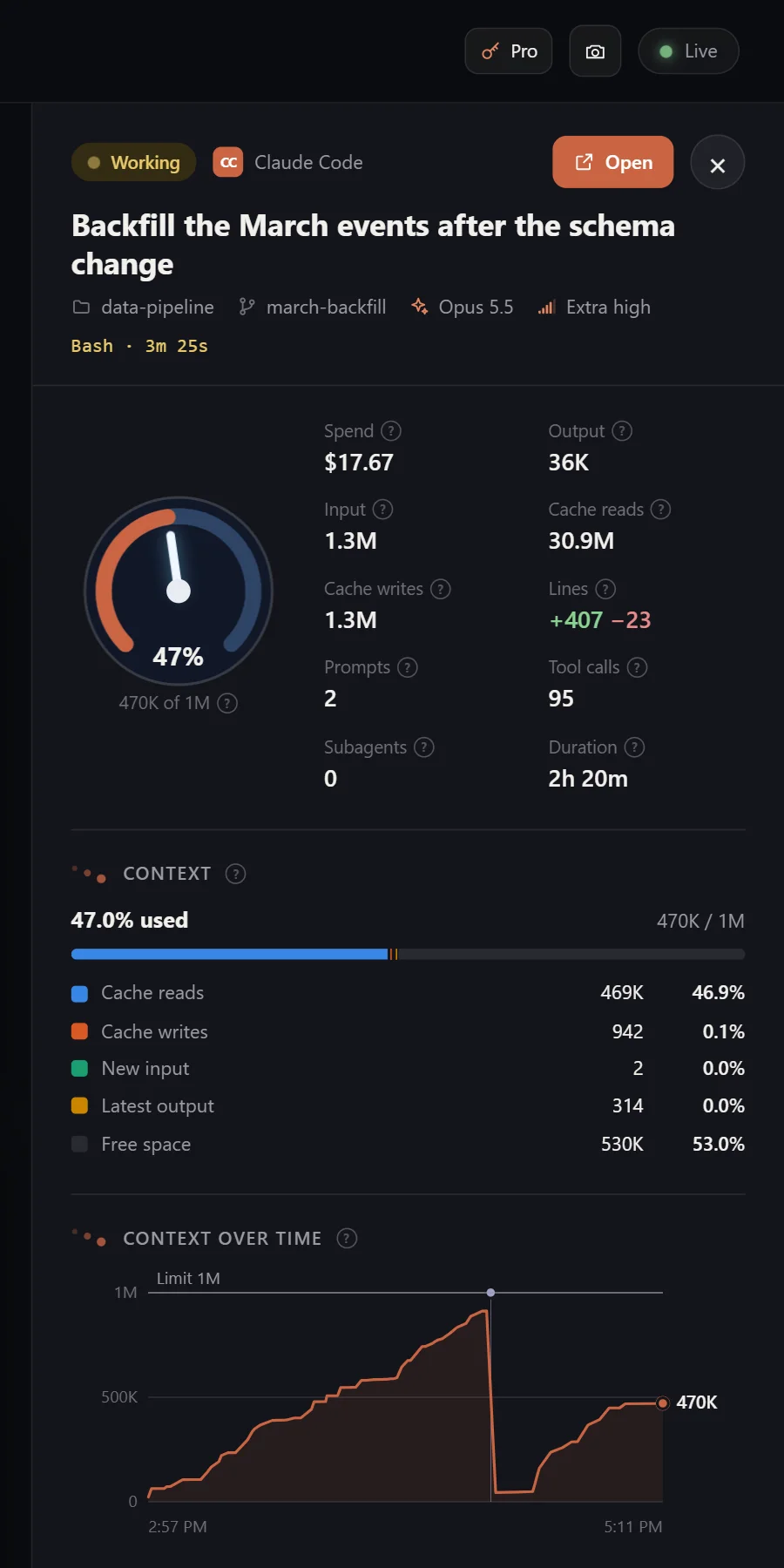
With Threadgauge Pro, clicking a thread opens its details in a panel beside the others, which stay live next to it. Click another thread to switch.
Every figure explains itself. A small "?" beside each one says what it means for that thread's harness, with links to the harness's own docs where they help.
No guesses. When a harness doesn't record something, you see a dash and a note saying so, never an estimate.
Keeps your place. The address holds the open thread, so a reload brings it back.
Coming to Pro next: alerts, rate limits, and history beyond 24 hours.
VitalsThe thread's figures, plus cache writes, tool calls, and how long it has run
ContextWhat filled the latest request, as a bar and an itemized list
Context over timeAfter every reply, against the limit, with a mark where it compacted
PlanEvery step, with what's done and what's current
ActivityThe newest tool calls, their targets, how long each took, and whether it failed
ToolsCalls, time, and failures per tool, over the whole thread
SubagentsEvery one it started, with its type, model, and output
Files changedLines added and removed, file by file
PromptsWhat you asked, and when
ErrorsAPI errors and failed turns
Made for a wall of agents Free
Keep a dozen threads in view.
Group, sort, and filter
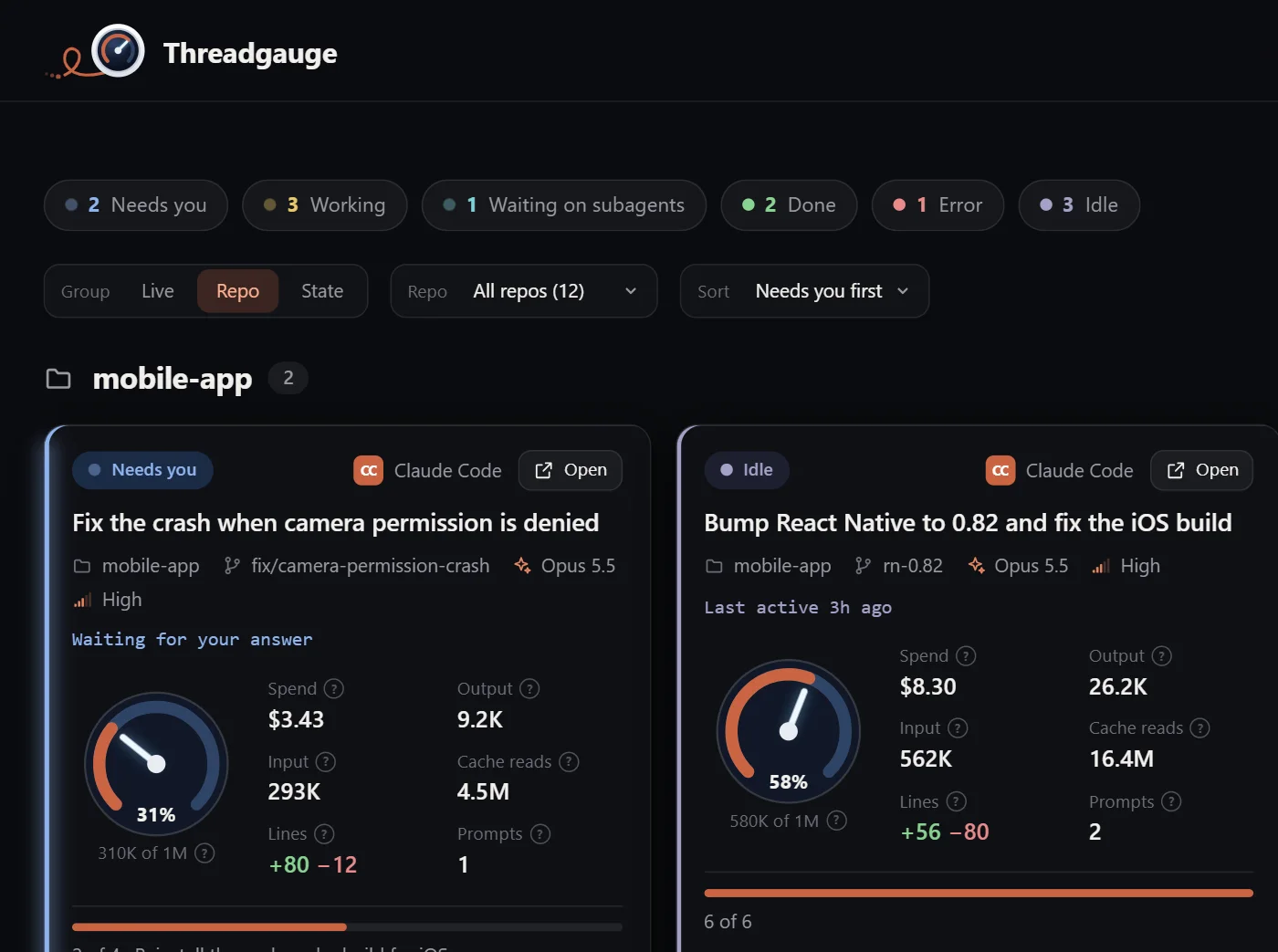
Group threads by Live, Repo, or State. Put whoever needs you first, or sort by most recent or context used. Your choices are remembered.
Open any thread
One button hands a thread back to its harness. Its terminal comes forward, or its app opens on it.
Moves when things happen
Live dots pulse, a working thread glows, and every figure that changes flashes once. Reduced motion turns it all off.
Screenshots
Press P to save the board as a PNG at your screen's full resolution.
Better with Threadnauts
The numbers behind the colony.
Threadgauge is made to run beside Threadnauts, not instead of it. Threadnauts shows every thread as a little astronaut in a 3D colony, so you can see at a glance where everyone is and who needs you. Threadgauge shows the numbers behind each one.
The same threads. Both read your harnesses through the same code, so they always agree on what's running.
The same colors. A thread that needs you is the same blue in both, and one that's working the same yellow.
One license. A Threadcrumbs license covers every app you buy, and each computer counts once.
Threadgauge shows threads from the last 24 hours, plus every live one, from each harness on your machine. Harnesses don't all record the same things, so here's what each one gives you.
Harness
Status
Tool
Context
Tokens
Spend
Lines
Plan
Subagents
Claude Code
Codex
OpenCode
Kilo Code
Hermes
Cursor
Antigravity CLI
Cursor shows the tool it last called. OpenCode 2.x doesn't record lines. Where a harness keeps no figure, the thread shows a dash.
Get started
One command, and the dashboard is live.
Threadgauge runs on your own computer and shows itself in your browser. There's nothing to sign up for.
Install Node.js
Threadgauge needs Node.js 22.13 or newer, from nodejs.org.
Run Threadgauge
In a terminal, run:
npx @threadcrumbs/threadgauge
It opens in your browser. Run it again any time to bring back the copy that's already running.
Watch your threads
Every thread from the last 24 hours shows up, and the live ones update as they work. Click one for its details with Pro.
Keep it installed:npm install -g @threadcrumbs/threadgauge, then run threadgauge.
Options:--port 5300 picks another port, and --no-open starts it without opening the browser.
With Threadnauts: start them in either order. Whichever starts second takes the next free port.
Pro: choose Pro in the top bar and paste your license key. See pricing.
Threadgauge isn't released yet. This command works from launch day.
Stays local
Your threads never leave your machine.
Nothing about your threads is uploaded
It reads each harness's own files on your computer, and there's no account to make. With Pro, it sends your key and a random ID for this computer when you enter the key, then the license about once a week to renew it.
Reads unless you say so
On its own it never writes to a harness. Anything that would, such as a statusline for data a harness doesn't save, is a setting you switch on.
Only answers you
It serves the dashboard on your own machine's address, and refuses requests from any other site or host.
Contact
A figure you'd like to see?
Questions, ideas, or a harness you'd like supported. A person reads every message.